
Can you remove a drill bit from a Black and Decker drill? Absolutely! It’s a straightforward process, but sometimes a drill bit can get stuck. This guide will walk you through the steps to remove a drill bit from your Black and Decker drill, whether it’s a simple swap or a more stubborn situation. We’ll cover everything from using your chuck key to dealing with a loose drill bit or a drill bit stuck in your Black and Decker drill.
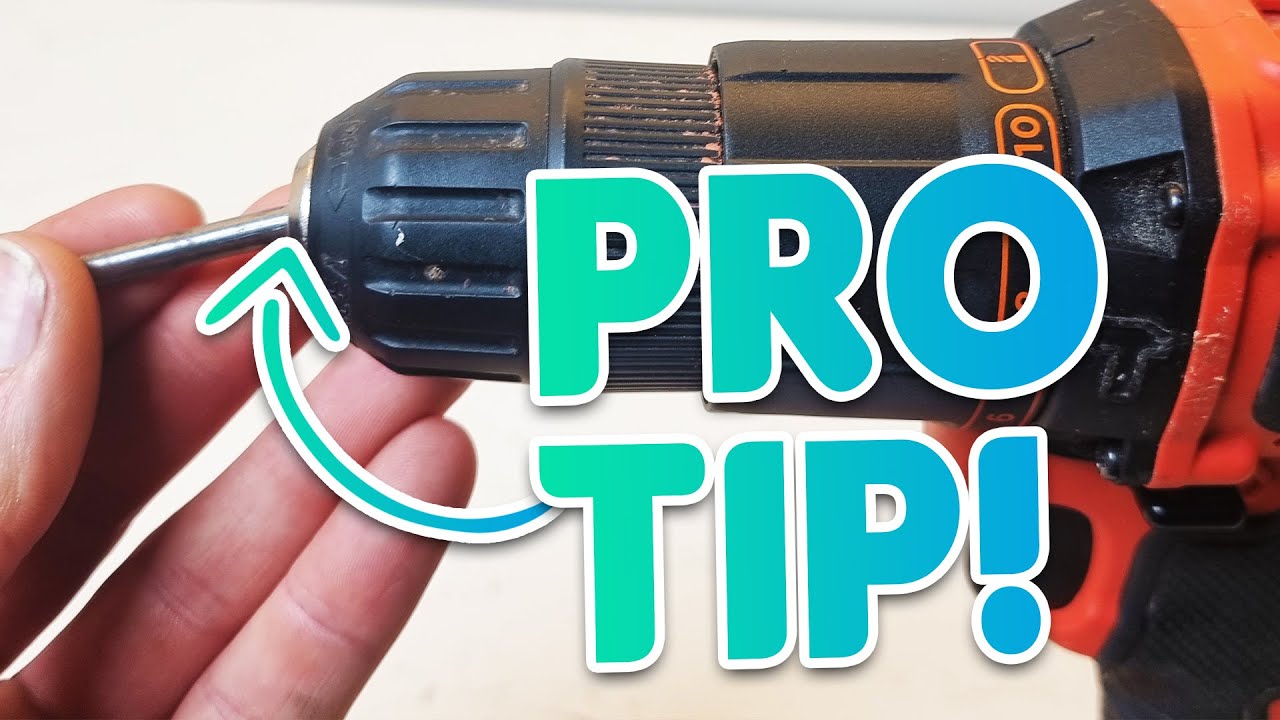
Image Source: i.ytimg.com
The Basics of Changing a Drill Bit on Your Black and Decker
Changing a drill bit on a Black and Decker drill is usually simple. Most Black and Decker drills use a chuck that you can tighten or loosen by hand or with a chuck key. The goal is to open the jaws of the chuck to release the bit.
Types of Chucks on Black and Decker Drills
Black and Decker uses a few different types of chucks on their drills. Knowing which one you have can make the process even easier.
Keyless Chucks
Many modern Black and Decker drills, especially cordless models, feature keyless chucks. These allow you to tighten and loosen the chuck by hand. You simply grip the front part of the chuck and twist.
Keyed Chucks
Older models or some corded Black and Decker drills might have a keyed chuck. These require a special tool called a chuck key to loosen. The chuck key fits into a small hole on the side of the chuck.
Removing a Standard Drill Bit
When your drill bit isn’t stuck, the process is very quick and easy.
Step-by-Step Guide for Keyless Chucks
- Unplug the Drill: If you have a corded drill, always unplug it from the power source. For cordless drills, remove the battery. This is a crucial safety step to prevent accidental starts.
- Grip the Chuck: Locate the front sleeve of the chuck. This is the part that spins around the drill bit. Firmly grip this sleeve with one hand.
- Twist to Loosen: With your other hand, hold the main body of the drill. Twist the chuck sleeve counter-clockwise. You’ll feel it loosen, and the jaws inside will open up.
- Remove the Bit: Once the chuck is loose enough, the drill bit should slide out easily.
Step-by-Step Guide for Keyed Chucks
- Unplug or Remove Battery: Safety first! Disconnect the power supply.
- Locate the Chuck Key Hole: Examine the chuck. You’ll see small holes, usually three, around its circumference.
- Insert the Chuck Key: Find your Black and Decker chuck key. Insert the key into one of these holes.
- Turn the Key: Apply firm pressure and turn the chuck key counter-clockwise. This will engage a gear mechanism that opens the chuck jaws.
- Remove the Bit: As the jaws open, the drill bit will become loose. Pull it straight out.
Dealing with a Loose Drill Bit in Your Black and Decker
Sometimes, the drill bit might feel loose in the chuck, but it won’t come out. This can happen if the chuck jaws aren’t fully open.
Why a Drill Bit Might Seem Loose But Won’t Come Out
- Jaws Not Fully Retracted: The most common reason is that the chuck jaws haven’t opened wide enough. Even if it feels loose, there might still be some grip.
- Debris in the Chuck: Small metal shavings or dust can sometimes lodge in the chuck mechanism, preventing it from opening fully.
- Worn Chuck Mechanism: Over time, the internal parts of the chuck can wear down, making it harder to release bits properly.
How to Get a Loose Drill Bit Out
- Ensure Power is Off: Double-check that the drill is unplugged or the battery is removed.
- Try a Firm Twist (Keyless Chuck): Grip the chuck sleeve firmly and twist counter-clockwise with more force than usual. Sometimes a little extra torque is needed.
- Use the Chuck Key (Keyed Chuck): If you have a keyed chuck, make sure you’re using the correct key and it’s fully seated in the hole. Turn it counter-clockwise with a steady, firm motion. Try all three holes on the chuck; sometimes one hole provides better leverage.
- Tap the Chuck Lightly: With the chuck loosened as much as possible, you can try gently tapping the chuck sleeve with the handle of a screwdriver or a small block of wood. This can sometimes dislodge debris or help the jaws release. Be gentle; you don’t want to damage the chuck.
- Check for Debris: If possible, visually inspect the chuck jaws for any visible debris. You can try blowing compressed air into the chuck or using a small brush to clean out any particles.
When a Drill Bit is Stuck in Your Black and Decker Drill
This is a more challenging situation, but usually still resolvable. A drill bit stuck in a Black and Decker drill can happen due to overheating, excessive force, or metal fatigue.
Why Drill Bits Get Stuck
- Overheating: Drilling into hard materials for extended periods can cause the bit and chuck to heat up significantly. Metal expands when hot, which can cause the bit to bind tightly in the chuck.
- Excessive Force: Forcing a bit into a material can put immense pressure on the chuck jaws, deforming them slightly or jamming the bit.
- Bit Material: Some bit materials are harder or more prone to galling (sticking) than others.
- Chuck Wear: A worn chuck might not grip uniformly, leading to one side of the chuck binding more tightly than the other.
Methods to Remove a Stuck Bit from a Black and Decker Drill
If a drill bit won’t release from your Black and Decker drill, try these methods:
Method 1: More Leverage and Patience
- Safety First: Ensure the drill is powered off.
- Keyless Chuck: Grip the chuck as firmly as you can. Use a rubber grip glove or a thick cloth to improve your hold. Twist counter-clockwise. If it’s very tight, you might need to get someone to help hold the drill body while you twist the chuck.
- Keyed Chuck: Insert the chuck key and apply strong, steady counter-clockwise pressure. If possible, use a longer chuck key or a chuck key with a longer handle for better leverage.
- Try Opposite Directions: Sometimes, tightening the chuck slightly (clockwise) for a very brief moment before trying to loosen again can break the seal. Then, immediately try loosening counter-clockwise with all your might.
Method 2: Cooling Down the Chuck
If you suspect overheating caused the bit to bind:
- Let it Cool: Allow the drill and the chuck to cool down completely to room temperature. Metal contracts as it cools, which might free the bit.
- Apply Lubricant (Carefully): Once cool, you can try applying a penetrating lubricant like WD-40 or a specific metal lubricant around the chuck jaws where the bit enters. Let the lubricant sit for a few minutes to seep in. Then, try loosening the chuck again. Be cautious not to get too much lubricant on the chuck mechanism itself, as it could affect future grip.
Method 3: Gentle Percussion
- Power Off: Always disconnect the power.
- Tap the Chuck: While the chuck is loosened as much as possible, use a rubber mallet or a piece of wood to gently tap around the circumference of the chuck. The goal is to create vibrations that might loosen the bit’s grip.
- Tap the Bit (Carefully): You can also try to gently tap the end of the stuck drill bit with a small hammer. This might help dislodge it. Ensure you are tapping the bit itself, not the chuck.
Method 4: Using a Vice (As a Last Resort)
This method involves more risk and should be done with extreme care.
- Secure the Drill: If possible, secure the body of the drill in a workbench vice. Protect the drill’s housing with a piece of cloth or rubber to prevent damage.
- Grip the Chuck: Place a pipe wrench or adjustable wrench around the chuck sleeve. Be careful not to squeeze too hard and damage the chuck.
- Loosen the Chuck: With the drill body held securely, use the wrench on the chuck sleeve to turn it counter-clockwise. This requires significant force and can potentially damage the chuck if not done carefully.
How to Change a Drill Bit on a Black and Decker – A Comprehensive Look
This section focuses on the practicalities of performing a bit change, ensuring you do it correctly every time.
Preparing for a Bit Change
Before you even think about removing a bit, good preparation makes the process smoother and safer.
- Gather Your Bits: Have the new drill bit ready and within easy reach.
- Inspect the New Bit: Ensure the shank of the new bit is clean and free from any burrs or damage that could affect its grip in the chuck.
- Check Your Chuck: If you’re using a keyed chuck, make sure you have the correct chuck key for your Black and Decker drill.
The Process of Inserting a New Drill Bit
- Power Down: Always unplug your corded drill or remove the battery from your cordless drill.
- Open the Chuck:
- Keyless: Twist the chuck sleeve counter-clockwise until the jaws are open wide enough to easily accommodate the shank of your new drill bit.
- Keyed: Insert the chuck key and turn it counter-clockwise until the jaws are fully open.
- Insert the New Bit: Place the shank of the new drill bit into the center of the open chuck jaws. Push it in as far as it will comfortably go. Ensure the bit is straight and centered.
- Tighten the Chuck:
- Keyless: Grip the chuck sleeve firmly and twist it clockwise. You’ll feel the jaws close around the bit. Tighten it until it feels snug and secure. Give it a good firm twist, but don’t overdo it to the point where you can’t loosen it later.
- Keyed: Insert the chuck key into one of the holes. Turn it clockwise, applying firm pressure. Continue turning until the chuck feels tight around the bit. It’s often recommended to use all three key holes to tighten the chuck evenly for the most secure fit.
- Test the Grip: Gently try to wiggle the drill bit. It should feel solid and not move within the chuck.
- Reconnect Power: Once the bit is securely in place, you can plug your drill back in or reinsert the battery.
Troubleshooting a Tight Chuck on Your Black and Decker Drill
A tight chuck that won’t loosen is a common frustration. This often relates back to the reasons bits get stuck.
Reasons for a Tight Chuck
- Over-tightening: Applying too much force when tightening the chuck, especially with a keyed chuck, can make it difficult to loosen later.
- Debris/Corrosion: Dust, metal filings, or even rust can build up inside the chuck mechanism, preventing smooth operation.
- Worn Components: Internal parts of the chuck can wear down over time, leading to a sticky or difficult-to-operate chuck.
- Heat Expansion: As mentioned, heat can cause metal components to expand, making the chuck tight.
How to Loosen a Tight Black and Decker Drill Chuck
- Power Off: Absolutely essential.
- Maximize Leverage: For keyless chucks, use a rubber grip for better purchase. For keyed chucks, ensure the key is fully inserted and consider using a longer chuck key if available.
- Controlled Force: Apply steady, firm pressure counter-clockwise. Avoid jerky movements, which can damage the chuck or the bit.
- Shock Treatment: A very light tap with a rubber mallet or the handle of a screwdriver on the chuck sleeve (while trying to turn it) might help break the tension.
- Lubrication: Apply a penetrating lubricant to the seams of the chuck where the jaws meet. Let it sit for a while to work its way in. Then, try to loosen it.
- Check for Alignment: Ensure you’re not trying to loosen a keyed chuck by turning the wrong part of the drill body. The chuck key only turns the chuck sleeve.
- Clean the Chuck: If debris is suspected, try to clean the exterior of the chuck. You might be able to use compressed air to blow out any visible debris from the chuck jaw openings.
Black and Decker Cordless Drill Bit Removal: Specific Considerations
Black and Decker cordless drills often have keyless chucks, which are generally easier to use. However, the principles of removal remain the same.
Keyless Chuck Operation on Cordless Drills
- Grip and Twist: The ease of keyless chucks means you primarily rely on your hand strength.
- Battery Removal: Always remove the battery pack before attempting any bit changes. This is the equivalent of unplugging a corded drill.
- Torque Settings: Be mindful of the torque settings on your drill. While not directly related to bit removal, excessive torque applied during drilling can contribute to bits getting stuck.
Common Issues with Cordless Drill Bits
- Accidental Tightening: Sometimes, in the heat of work, you might inadvertently tighten the chuck further than needed, making it harder to loosen later.
- Battery Drain: If your drill battery is low, it won’t provide much power, but it’s still crucial to remove it for safety.
The Black and Decker Drill Chuck Mechanism Explained
To better resolve issues, it’s helpful to have a basic idea of how the chuck mechanism works.
How the Jaws Grip and Release
The chuck consists of three jaws that converge at the center to grip the drill bit.
- Keyless Chucks: The front sleeve is threaded internally. When you twist it counter-clockwise, it moves away from the drill body, causing a cam or cone mechanism to retract the jaws. Twisting clockwise pushes this mechanism forward, forcing the jaws inward.
- Keyed Chucks: The chuck key engages with a gear in the chuck body. Turning the key rotates a pinion gear, which meshes with a ring gear. This rotation drives the cam or cone mechanism that moves the jaws in or out.
Maintenance for Your Chuck
- Keep it Clean: Periodically clean dust and debris from the chuck.
- Lubrication: A very light application of grease or oil on the external threads of the chuck sleeve can help keep it operating smoothly. Avoid over-lubricating, as this can attract more dirt.
- Avoid Dropping: Dropping the drill, especially on the chuck end, can misalign or damage the internal mechanism.
When to Consider Professional Help or Replacement
While most drill bit removal issues are fixable, there are times when professional intervention or a replacement might be necessary.
Signs You Might Need Professional Help
- Damaged Chuck: If the chuck sleeve is visibly bent, cracked, or stripped, it might be beyond simple repair.
- Chuck Won’t Open at All: If even with significant force and lubricant, the chuck remains stubbornly shut, there might be a severe internal jam or damage.
- Stripped Key Hole: If the hole for the chuck key is stripped or the key no longer engages, you won’t be able to operate a keyed chuck.
Replacing a Chuck
In some cases, the chuck itself may need to be replaced. This is usually a job for a repair shop, as it involves disassembling part of the drill. However, for some Black and Decker models, replacement chucks are available, and a skilled DIYer might attempt it. Always consult your drill’s manual or look for specific repair guides for your model if considering this.
Frequently Asked Questions (FAQ)
Q1: How do I remove a drill bit if my Black and Decker drill chuck is stuck?
A1: First, ensure the drill is powered off. For keyless chucks, grip the front sleeve firmly and twist counter-clockwise. For keyed chucks, use the chuck key and turn counter-clockwise. If it’s still stuck, try applying more leverage, letting the chuck cool if it was recently used heavily, or gently tapping the chuck with a rubber mallet.
Q2: Can I use a wrench on my Black and Decker drill chuck?
A2: For keyless chucks, a pipe wrench or adjustable wrench can be used on the sleeve as a last resort for stubborn bits, but be very careful not to damage the chuck. For keyed chucks, only the chuck key should be used.
Q3: My drill bit is loose but won’t come out of my Black and Decker drill. What should I do?
A3: This usually means the chuck jaws haven’t opened wide enough. Ensure you’re twisting the chuck sleeve counter-clockwise sufficiently. For keyed chucks, make sure the key is fully inserted and turned completely. You might need to try all three key holes to get maximum opening.
Q4: What is a chuck key for a Black and Decker drill?
A4: A chuck key is a small, typically L-shaped tool used to tighten and loosen the jaws of a keyed chuck on a drill. It fits into one of the holes on the side of the chuck.
Q5: How do I change a drill bit on my Black and Decker cordless drill?
A5: Remove the battery. Grip the front sleeve of the keyless chuck and twist it counter-clockwise until the jaws open. Insert the new drill bit, then twist the chuck sleeve clockwise until it’s tight and secure.
Q6: My Black and Decker drill chuck is too tight to loosen. What can I do?
A6: Ensure the drill is off. Try using a rubber grip glove for better traction on the chuck sleeve. Apply firm, steady counter-clockwise pressure. If that doesn’t work, try a penetrating lubricant around the chuck jaws and let it sit. Gentle tapping with a rubber mallet might also help.
Q7: Is it normal for a drill bit to get stuck in a Black and Decker drill?
A7: While not ideal, it can happen, especially if the drill overheats during use or if excessive force is applied. Usually, there are methods to free the bit.
By following these steps and tips, you should be able to confidently remove and change drill bits on your Black and Decker drill, even when faced with a stubborn or stuck bit. Remember that safety should always be your top priority.