
Can you easily change a drill bit on a Black & Decker drill? Yes, you absolutely can! This guide will walk you through the simple steps to swap out your drill bits, ensuring your Black and Decker cordless drill bit changes are smooth and efficient.
Changing a drill bit on your Black & Decker drill is a straightforward process that ensures you can tackle various tasks with the right tool. Whether you’re drilling holes for a shelf, driving screws into wood, or performing general home repairs, knowing how to properly change a drill bit is fundamental to Black and Decker drill maintenance. This guide will cover everything you need to know about Black and Decker drill bit removal and replacement, helping you keep your tools in top working condition.
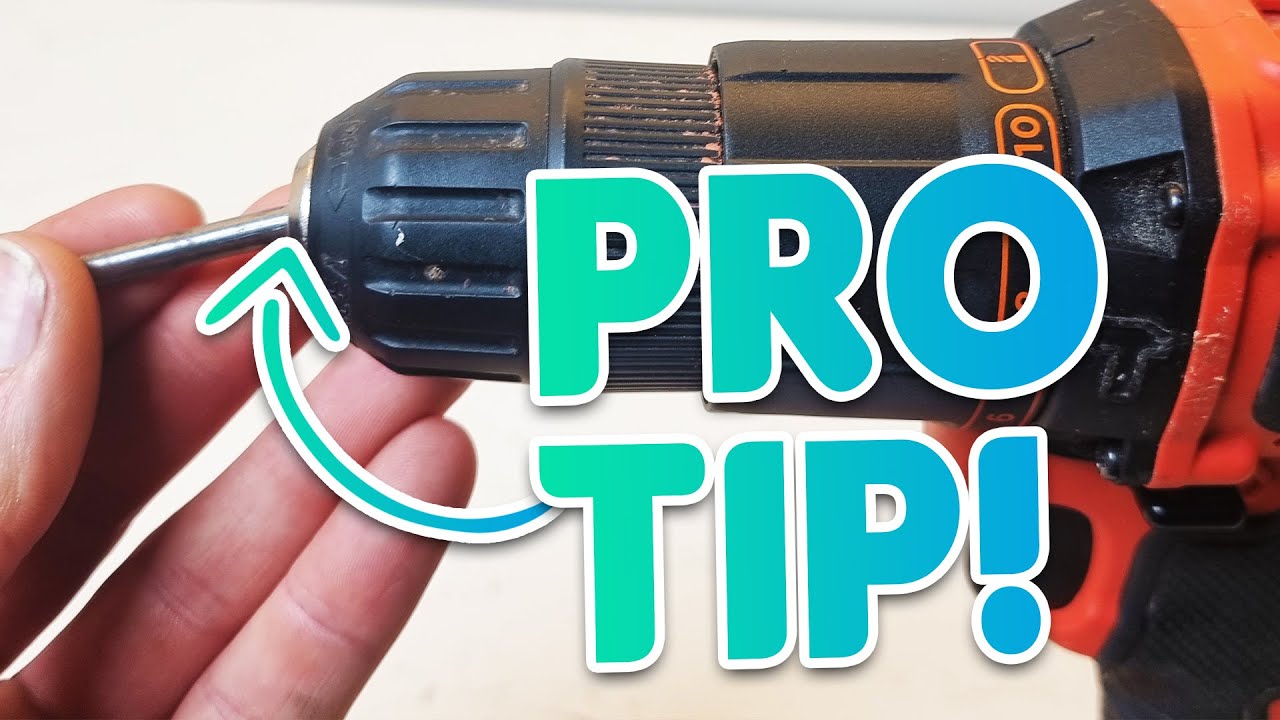
Image Source: i.ytimg.com
Why Changing Drill Bits Matters
Drill bits are the business end of your drill, and using the correct bit for the job is crucial for efficiency and safety. Using a dull or incorrect bit can lead to:
- Poor Performance: Holes won’t be clean, and screws might strip.
- Increased Effort: You’ll have to push harder, tiring you out faster.
- Damage to Materials: You could split wood or crack tile.
- Overheating: Both the bit and your drill can get too hot.
- Reduced Tool Lifespan: Pushing a drill too hard can wear it out prematurely.
Regularly changing your drill bit, especially when switching between drilling and driving or when a bit becomes dull, is a key part of good Black and Decker drill maintenance.
Types of Black & Decker Drill Chucks
Most Black & Decker drills use one of two main types of chucks: keyless chucks and chucks that require a Black and Decker chuck key. Recognizing which type you have is the first step in learning how to change your drill bit.
Keyless Chucks
These are the most common on modern drills. They are designed for quick and easy bit changes without the need for a separate tool. You’ll recognize them by their ribbed or textured body that you can grip and twist.
- How they work: Inside the chuck, jaws grip the drill bit shank. By twisting the chuck body, you either tighten or loosen these jaws, holding the bit securely or releasing it.
- Advantages: Speed and convenience. No lost chuck keys!
- Disadvantages: Can sometimes be harder to get very tight if they’re a bit worn or if you have exceptionally tough materials.
Chucks Requiring a Chuck Key
Older models or some heavier-duty Black & Decker drills might still come with a chuck that requires a Black and Decker chuck key. This is a small, typically L-shaped metal tool with teeth on one end.
- How they work: The chuck key inserts into one or more holes around the chuck’s collar. Turning the key engages a gear system that tightens or loosens the jaws.
- Advantages: Can often achieve a very secure grip.
- Disadvantages: Requires you to keep track of the chuck key, which can easily get lost. Bit changes are slower.
How to Release a Drill Bit: Step-by-Step
Let’s get into the practical steps for releasing your drill bit. The method varies slightly depending on your chuck type.
Releasing a Bit from a Keyless Chuck
This is the most common scenario for Black and Decker cordless drill bit changes.
Step 1: Safety First!
* Unplug or Remove Battery: This is the most critical step for any tool maintenance. Make sure the drill is completely de-powered before you touch the chuck. For Black and Decker cordless drills, this means removing the battery pack.
* Wear Gloves (Optional but Recommended): This can help you get a better grip and protect your hands from any sharp edges on the bit or chuck.
Step 2: Locate the Chuck and Identify Its Type
* Look at the front of your drill where the bit goes in.
* If it has a ribbed collar that you can twist, it’s a keyless chuck.
Step 3: Loosen the Chuck
* Grip the Chuck: Firmly grasp the ribbed collar of the chuck with one hand.
* Twist in the Correct Direction: You need to loosen the chuck. Typically, for keyless chucks, you will twist the collar counter-clockwise (to the left) when looking at the front of the drill.
* Apply Firm Pressure: You might need to use a good amount of force. If it’s very tight, you can try gripping the drill’s body with your other hand and twisting the chuck collar.
* Listen and Feel: As you twist, you should feel and hear the jaws inside the chuck opening up and releasing the bit.
* Open Wide Enough: Continue twisting until the jaws are opened wide enough to allow the shank of the drill bit to slide out freely. You don’t need to twist it all the way off the drill unless you are performing a Black and Decker chuck removal for other maintenance.
Step 4: Remove the Drill Bit
* Once the jaws are sufficiently open, you can simply pull the old drill bit straight out of the chuck.
What if the Chuck is Stuck or Loose?
If you’re having trouble loosening a keyless chuck, it might be due to grime or a worn mechanism.
* Try Gripping Tighter: Ensure you have a firm grip. Sometimes a rubber glove or a rag can help.
* Tap Gently: While holding the chuck, you can try tapping the collar lightly with the palm of your hand or a rubber mallet. Be gentle to avoid damaging the chuck.
* Check for Debris: Sometimes, small metal shavings or dust can get lodged in the chuck mechanism. Try to blow it out with compressed air.
* Loose Drill Bit: If you have a loose drill bit Black and Decker, it’s usually a sign that the chuck jaws are not gripping properly. This might require a more thorough cleaning or, in rare cases, a replacement chuck.
Releasing a Bit Using a Black & Decker Chuck Key
If your drill uses a chuck key, the process is a bit different.
Step 1: Safety First!
* Unplug or Remove Battery: Absolutely essential. Remove the battery from your Black and Decker cordless drill.
Step 2: Locate the Chuck Key Holes
* Look at the collar of the chuck. You’ll see one or more small holes, usually three.
Step 3: Insert the Black & Decker Chuck Key
* Take your Black and Decker chuck key.
* Insert the toothed end into one of the holes on the chuck collar.
Step 4: Loosen the Chuck
* Twist Counter-Clockwise: Just like with a keyless chuck, you’ll turn the chuck key counter-clockwise (to the left) to loosen it.
* Apply Steady Pressure: Use firm, steady pressure. You might need to use both hands to get enough leverage.
* Multiple Holes: If your chuck has multiple holes, you might need to insert the key into each hole and give it a turn to fully open the jaws.
* Feel for Release: You’ll feel the jaws retract as you turn the key.
Step 5: Remove the Drill Bit
* Once the jaws are open wide enough, pull the drill bit straight out.
Troubleshooting Chuck Key Issues:
- Lost Chuck Key: If you can’t find your Black and Decker chuck key, you might be able to purchase a replacement from Black & Decker or a hardware store. Universal chuck keys are also available.
- Stuck Chuck Key: If the key won’t turn, it might be misaligned with the internal gear. Try removing and re-inserting it at a slightly different angle. Forcing it can damage the key or the chuck.
How to Change a Drill Bit Black & Decker: Replacing the Bit
Now that you’ve successfully released the old bit, it’s time to put in a new one.
Replacing a Bit in a Keyless Chuck
This is the reverse of the removal process.
Step 1: Select the Correct Drill Bit
* Choose the bit that suits your task (e.g., a twist drill bit for holes, a screwdriver bit for screws).
* Ensure the shank of the bit (the part that goes into the chuck) is clean and free of debris.
Step 2: Insert the New Bit
* Position the Bit: Hold the new drill bit and insert its shank straight into the open jaws of the chuck.
* Push it In: Push the bit as far into the chuck as it will comfortably go.
Step 3: Tighten the Chuck
* Grip the Chuck Collar: Hold the drill’s body steady with one hand.
* Twist Clockwise: With your other hand, firmly twist the chuck collar clockwise (to the right) when looking at the front of the drill.
* Tighten Securely: Continue twisting until the jaws are snug against the bit shank. You want it to be tight enough that the bit won’t slip, but don’t overtighten, as this can damage the chuck or make future removal difficult. For keyless chucks, you often hear and feel a few “clicks” as it tightens to its maximum secure point.
* Check for Wobble: Give the bit a gentle tug to ensure it’s held firmly and doesn’t wobble.
Replacing a Bit Using a Black & Decker Chuck Key
Step 1: Select the Correct Drill Bit
* Choose your new drill bit and make sure its shank is clean.
Step 2: Insert the New Bit
* Insert the shank of the new drill bit straight into the open chuck jaws as far as it will go.
Step 3: Tighten the Chuck with the Key
* Insert the Chuck Key: Place the Black and Decker chuck key into one of the holes in the chuck collar.
* Twist Clockwise: Turn the chuck key clockwise (to the right).
* Tighten Firmly: Apply firm pressure. You might need to use multiple holes to tighten the chuck fully. Ensure the jaws are gripping the bit shank securely.
* Remove the Key: Once tightened, remove the chuck key and store it safely.
* Check for Wobble: Gently tug on the bit to confirm it’s held securely.
Advanced Black & Decker Drill Chuck Removal
While not always necessary for routine bit changes, sometimes you might need to perform a full Black and Decker chuck removal. This could be for deep cleaning, lubrication, or replacing a worn-out chuck.
Note: Black and Decker chuck removal can vary slightly by model. Consult your drill’s manual if available.
General Procedure for Keyless Chuck Removal:
- Safety First: Remove the battery.
- Expose the Chuck Screw: Many keyless chucks have a screw inside the chuck jaws at the very back. This screw usually has a reverse thread (left-hand thread), meaning you need to turn it clockwise to loosen it.
- Open the chuck jaws wide to access this screw.
- Use a screwdriver that fits the screw head perfectly.
- Grip the chuck body firmly with pliers or a wrench (sometimes wrapped with a cloth to prevent damage) to stop it from turning.
- Turn the screw clockwise to remove it.
- Unscrew the Chuck: Once the screw is out, the chuck itself usually unscrews from the drill’s spindle. Grip the chuck body firmly with adjustable pliers or a wrench (again, protect the chuck with a cloth).
- Turn the chuck counter-clockwise to unscrew it from the spindle. This might require significant force, as it’s often threaded on tightly.
- Install New Chuck (if applicable): If you’re replacing the chuck, screw the new one onto the spindle clockwise until it’s hand-tight.
- Replace Chuck Screw: Insert the chuck screw (remembering it’s a reverse thread – tighten clockwise) and tighten it securely.
- Test: Reinstall the battery and test the chuck’s operation.
General Procedure for Chuck Key Type Removal:
- Safety First: Remove the battery.
- Remove the Chuck Screw: Similar to keyless chucks, there’s usually a screw securing the chuck to the spindle. This screw often has a reverse thread. You’ll need to remove it using the chuck key or a suitable screwdriver after opening the chuck jaws.
- Unscrew the Chuck: Once the screw is removed, use your chuck key (or a wrench on the chuck body) and turn the chuck counter-clockwise to unscrew it from the drill’s spindle.
- Install New Chuck (if applicable): Screw on the new chuck clockwise.
- Replace Chuck Screw: Reinsert and tighten the chuck screw (remembering the reverse thread).
Black and Decker Drill Maintenance Tips
Proper Black and Decker drill maintenance ensures longevity and optimal performance.
- Keep it Clean: After each use, wipe down your drill with a dry cloth to remove dust and debris. Pay attention to the chuck area.
- Store Properly: Store your drill in a dry place, ideally in its case, to protect it from moisture and damage.
- Battery Care: If you have a Black and Decker cordless drill, follow the manufacturer’s recommendations for battery charging and storage to maximize its lifespan.
- Avoid Overheating: Don’t push your drill too hard for extended periods. If it feels excessively hot, let it cool down.
- Inspect Bits: Regularly check your drill bits for wear and tear. Replace dull or damaged bits promptly.
- Lubrication (Sparingly): If your chuck becomes stiff, a very small amount of light machine oil or a specialized chuck lubricant might help, but use sparingly to avoid attracting too much dust.
Common Issues and How to Fix Them
Here’s a look at common problems encountered when changing drill bits and how to address them.
Problem: Chuck Won’t Tighten Enough
- Cause: The chuck jaws are worn, or there’s debris inside.
- Solution:
- Try tightening with more force.
- Clean the chuck thoroughly with compressed air.
- For keyless chucks, ensure the internal screw is tight.
- If the problem persists, the chuck might need replacement.
Problem: Drill Bit Spins in the Chuck
- Cause: The chuck isn’t tightened enough, or the chuck itself is failing.
- Solution:
- Ensure you are tightening the chuck firmly.
- Check if the drill bit shank is damaged or too small for the chuck.
- Try a different drill bit to see if the issue is with the bit or the chuck.
- If multiple bits spin even when the chuck is tight, it indicates a problem with the Black and Decker chuck.
Problem: Chuck Key Won’t Turn
- Cause: The key is misaligned, or the chuck mechanism is jammed.
- Solution:
- Remove the key and reinsert it, ensuring it’s fully seated in the chuck hole.
- Try turning the key very slightly in both directions to free up the mechanism.
- Ensure you are using the correct Black and Decker chuck key for your model.
Problem: Chuck is Difficult to Open or Close
- Cause: Dirt, debris, or lack of lubrication.
- Solution:
- Clean the chuck thoroughly with compressed air.
- If it’s a keyless chuck, try working the collar back and forth repeatedly.
- A tiny drop of light lubricant might help, but clean the chuck first.
Table: Keyless vs. Chuck Key Differences
| Feature | Keyless Chuck | Chuck Key Chuck |
|---|---|---|
| Tool Needed | No external tool required | Requires a Black & Decker chuck key |
| Speed | Very fast bit changes | Slower bit changes |
| Convenience | High; no parts to lose | Lower; key can be misplaced |
| Grip | Generally good, can be very secure | Can offer exceptionally strong grip |
| Complexity | Simpler operation | Requires managing an extra tool |
| Common On | Most modern drills, Black & Decker cordless | Older models, some heavier-duty drills |
Frequently Asked Questions (FAQ)
Q1: How do I know if I have a keyless chuck or one that needs a key?
A1: A keyless chuck has a ribbed collar you can twist by hand. A chuck that needs a key will have small holes in its collar where the chuck key inserts.
Q2: Can I use a wrench on my keyless chuck?
A2: While you can grip a keyless chuck with pliers or a wrench to get more leverage for tightening or loosening, be very careful. Wrap the chuck with a cloth or use rubber grips to prevent scratching or damaging the chuck body. It’s generally best to rely on hand power for keyless chucks.
Q3: What if my drill bit is stuck in the chuck?
A3: Ensure the battery is removed. For keyless chucks, try gripping the chuck body firmly and twisting the collar counter-clockwise with more force. If it’s still stuck, a gentle tap on the chuck collar with a rubber mallet might help dislodge it. For chuck key types, ensure the key is fully engaged and try turning it firmly.
Q4: How do I replace the chuck on my Black and Decker drill?
A4: Typically, you need to remove the battery, open the chuck jaws to access and remove an internal screw (which often has a reverse thread), then unscrew the chuck itself from the drill spindle. Installation is the reverse. Always check your drill’s specific manual for precise instructions.
Q5: Is it bad to leave a drill bit in the chuck when not in use?
A5: It’s generally fine to leave a bit in, but for long-term storage or if you’re concerned about dust getting into the chuck mechanism, it’s best to remove the bit and close the chuck jaws slightly. This also makes your next bit change quicker.
By following these steps, you’ll be able to confidently change and secure drill bits on your Black & Decker tools, ensuring your projects run smoothly and safely. Regular Black and Decker drill maintenance, including proper bit changes, is key to getting the most out of your equipment.