
So, how do you put a screw into a drill? It’s a fundamental skill for anyone using a power drill, whether for simple home repairs or more involved projects. The process involves attaching the correct bit to your drill and then using the drill to drive the screw into your material. This might seem straightforward, but mastering it ensures efficiency, prevents damage to your workpiece, and keeps you safe.
Using a power drill for screw driving is a game-changer compared to manual screwing. It saves time and effort, especially when dealing with numerous fasteners. This guide will walk you through every step, from choosing the right drill bit to finishing the job with precision. We’ll cover everything from drill bit selection and starting a screw to controlling screw depth and the crucial torque setting.
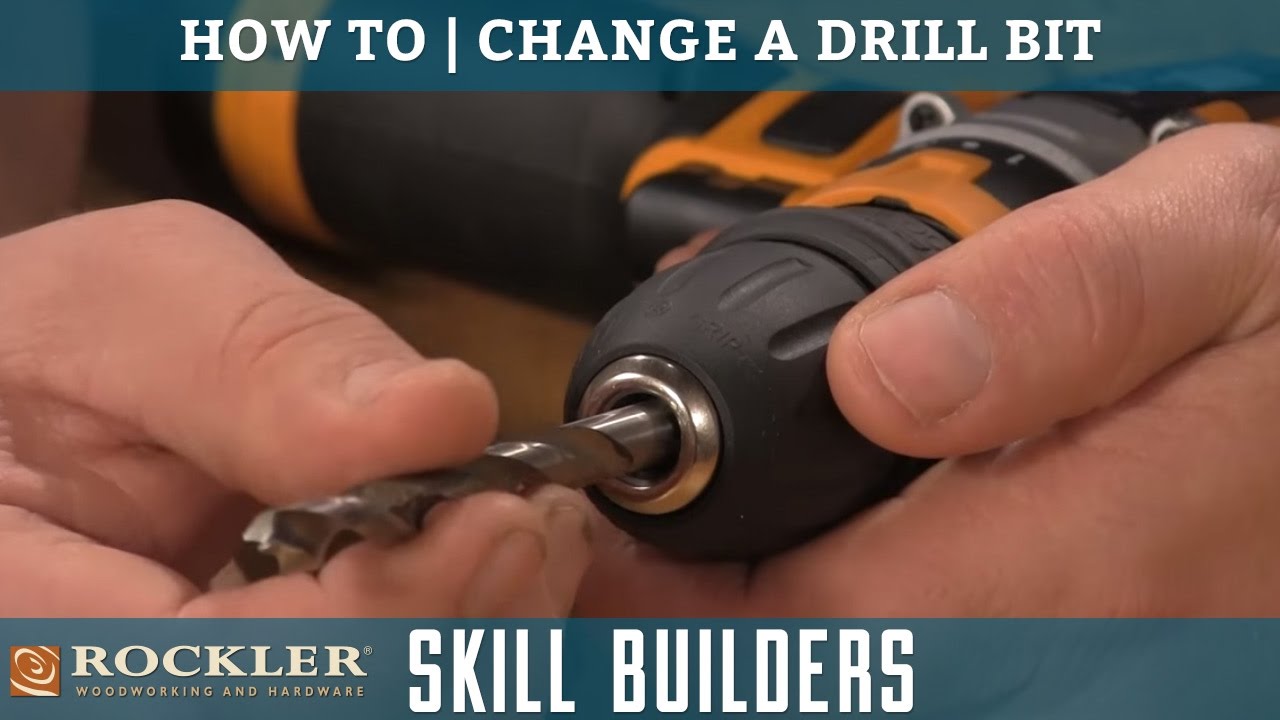
Image Source: i.ytimg.com
Essential Gear for Screw Driving
Before you even think about powering up your drill, having the right tools is key. The primary items you’ll need are your power drill and the correct drill bits, often called driver bits.
Choosing the Right Drill Bit
The bit you use is arguably the most critical component for successful screw driving. The bit must match the type and size of the screw head to prevent stripping or cam-out (where the bit slips out of the screw head).
Common Screw Head Types
- Phillips: These have a cross-shaped recess. They are very common and have a design intended to prevent over-tightening.
- Slotted (Flathead): A single slot across the head. These are older but still used, especially in older fixtures. They are prone to slipping.
- Torx (Star): Shaped like a six-pointed star. They offer excellent grip and torque transfer, reducing the risk of stripping.
- Square (Robertson): A square recess. Popular in Canada, they also offer good grip and resistance to cam-out.
- Hex (Allen): A hexagonal recess. Common in furniture assembly and machinery.
Matching Bits to Screws
| Screw Head Type | Common Bit Type | Bit Identification | Notes |
|---|---|---|---|
| Phillips | Phillips bit | PH (e.g., PH2) | Most common. PH2 is standard for most household screws. PH1 for smaller, PH3 for larger screws. |
| Slotted | Flathead bit | SL (e.g., SL4.5) | Slot width is important. Match it closely to the screw slot to prevent wobbling and damage. |
| Torx | Torx bit | T (e.g., T25) | Star shape. The number indicates the size. T25 is common for wood screws. |
| Square | Square bit | S (e.g., S1) | Square recess. S1 for smaller, S2 for medium, S3 for larger screws. |
| Hex | Hex bit | H (e.g., H4) | Hexagonal shape. The number indicates the size in millimeters or inches. |
Pro Tip: Many drill bit sets come with a variety of driver bits. Always check your screw heads and select the bit that fits snugly without any play.
Preparing Your Drill
Before you insert the driver bit, ensure your drill is ready.
Inserting the Driver Bit
- Unplug or Remove Battery: Safety first! Always disconnect the power source before changing bits.
- Open the Chuck: Most drills have a keyless chuck. Twist the chuck collar (the part at the front of the drill) counter-clockwise to open it. You’ll see the jaws spread apart.
- Insert the Bit: Push the driver bit firmly into the chuck jaws. Ensure it’s seated as far as it will go.
- Tighten the Chuck: Twist the chuck collar clockwise to tighten it around the bit. Hold the drill body steady with one hand and twist the collar with the other. You should feel it grip the bit securely. Many chucks click when fully tightened. Give the bit a gentle tug to confirm it’s locked in place.
Setting the Drill’s Direction
Drills have a selector switch to control the direction of rotation. For driving screws, you want the drill to spin clockwise. This is usually indicated by an arrow pointing forward or a symbol showing the bit moving clockwise.
- Forward (Drive): Usually the default position for drilling and driving screws.
- Reverse (Unscrew): Use this to remove screws.
- Center (Lock): Most drills have a middle position that locks the trigger and prevents accidental operation. Always engage this when changing bits or transporting the drill.
The Art of Starting a Screw
Getting a screw started correctly is crucial for a clean and secure drive. A wobbly start can lead to stripped screw heads or crooked fasteners.
Positioning the Screw
- Mark the Spot: If you’re working on a project, you’ve likely already marked where the screw needs to go.
- Hold the Screw Firmly: Place the tip of the screw against the marked spot. Use your fingers to hold it steady.
The Initial Engagement
- Place the Bit: Position the driver bit into the recess of the screw head. Make sure it’s fully seated.
- Apply Gentle Pressure: Lean the drill slightly towards the screw. Apply light, steady pressure directly in line with the screw.
- Start Slow: With the drill set to forward (clockwise), gently squeeze the trigger. You want the screw to catch the material and begin turning without wobbling.
- Listen and Feel: You should hear and feel the screw biting into the material. If it feels like it’s spinning freely or skipping, stop. The bit might not be seated correctly, or you might need a pilot hole.
When to Use a Pilot Hole
A pilot hole is a small hole drilled into the material before inserting the screw. It’s not always necessary, but it’s highly recommended in many situations.
Benefits of Pilot Holes
- Prevents Splitting: Especially important in wood, pilot holes guide the screw and prevent the material from splitting, particularly near edges or in hardwoods.
- Easier Screw Driving: Reduces the resistance the screw encounters, making it easier to drive and reducing strain on your drill.
- Improved Accuracy: Helps ensure the screw goes in straight.
- Secure Fastening: Creates a clean path for the screw threads, leading to a stronger hold.
Selecting the Right Pilot Bit
The general rule of thumb for drill bit selection for pilot holes is to use a bit that is slightly smaller than the screw’s core diameter (the part without threads).
- For Wood Screws: Use a bit about the same diameter as the screw’s shank (the smooth shaft below the head).
- For Metal Screws: Use a bit that matches the screw’s minor diameter (the narrowest part of the threaded shank).
- For Hardwoods: Consider using a bit that matches the screw’s core diameter to allow for easier driving.
- For Softwoods: A slightly smaller pilot hole can help create a tighter grip.
Drilling the Pilot Hole
- Select Drill Bit: Choose a drill bit suitable for your material (wood, metal, etc.).
- Set Drill to Drill Mode: Ensure your drill is set to its drilling function (often indicated by a drill bit symbol) and rotating clockwise.
- Depth Control: Some drills have depth stops. If yours does, set it to the desired depth, which is typically just shy of the screw’s length. If not, you can use a piece of tape on the drill bit as a visual guide.
- Drill the Hole: Hold the drill perpendicular to the surface and drive the bit into the material to the desired depth.
- Retract the Bit: Pull the drill straight back out, keeping the trigger squeezed until the bit is clear.
Once the pilot hole is drilled, you can proceed with inserting the screw.
Controlling Screw Depth
Driving a screw too deep can damage the material or weaken the joint. Not driving it deep enough leaves it sticking out, creating a hazard or an unsightly finish. Most modern drills offer excellent control over screw depth.
Clutch Settings on Power Drills
Your power drill likely has an adjustable clutch, usually indicated by a numbered collar behind the chuck. This clutch is your primary tool for controlling screw depth.
How the Clutch Works
The clutch disengages the motor when a certain amount of resistance is met. This “slipping” action prevents the screw from being driven too deep and also protects the screw head and the driver bit from damage.
- Lower Numbers (1-5): Lower torque settings. The clutch will disengage at lower resistance, meaning the screw will stop driving earlier. This is good for delicate materials or when you want to ensure the screw doesn’t go too deep.
- Higher Numbers (10-20+): Higher torque settings. The clutch will engage later, allowing the screw to be driven deeper and with more force. Use these for harder materials or when you need a very secure hold.
- Drill Symbol (Usually a drill bit icon): When the setting is on the drill symbol, the clutch is bypassed, and the drill will operate at maximum power. This is used for drilling holes, not driving screws, as it offers no depth control.
Finding the Right Torque Setting
This is often a process of trial and error, depending on your material, screw size, and the desired outcome.
- Start Low: If you’re unsure, begin with a low clutch setting.
- Test: Drive a screw partially.
- Adjust: If the screw isn’t going deep enough or the clutch is slipping too soon, increase the number slightly.
- Observe: Watch the screw head as it nears the desired depth. Listen for the clutch slipping.
Example Scenario: Driving Screws into Pine
- Material: Softwood (Pine)
- Screw Size: #8 x 1.5-inch wood screw
- Desired Depth: Flush with the wood surface.
Approach:
- Start with a clutch setting of 5.
- Begin driving the screw. If the clutch slips before the screw is flush, increase the setting to 7.
- Continue increasing in small increments (e.g., to 9, then 11) until the screw drives flush and the clutch slips just as it reaches that depth.
Example Scenario: Driving Screws into Oak
- Material: Hardwood (Oak)
- Screw Size: #8 x 1.5-inch wood screw
- Desired Depth: Flush with the wood surface.
Approach:
- Start with a clutch setting of 8.
- Drive the screw. If the clutch slips too early, increase the setting to 10 or 12.
- Oak is harder, so you might need a higher setting than pine to achieve the same flush depth.
Setting for Different Materials
| Material | Screw Type | Recommended Clutch Range (General) | Notes |
|---|---|---|---|
| Softwood | Wood Screws | 4-9 | Start low, increase as needed. |
| Hardwood | Wood Screws | 8-15 | Requires more torque, so higher settings are often needed. |
| Drywall | Drywall Screws | 1-5 | Very soft material, prone to over-driving. Special drywall bits are also available. |
| Metal | Sheet Metal Screws | 10-20+ | Metal requires significant force. Ensure your bit is robust. |
| Plastic | Machine Screws | 1-4 | Extremely delicate. Use very low settings to avoid cracking or stripping the plastic threads. |
| Plywood | Wood Screws | 5-10 | Can be prone to splitting if not careful, but generally less so than solid wood. |
| Masonry | Masonry Screws | N/A (Use Hammer Drill) | Power drills are not suitable for masonry. Use a hammer drill with a masonry bit and appropriate anchors. |
Important Note: These are general guidelines. Always test on scrap material first. The specific screw length, thread pitch, and your drill’s power will also influence the ideal torque setting.
The Power Drill Operation: Step-by-Step
Now that you have your bit, your drill is ready, and you know about pilot holes and depth control, let’s put it all together.
Step 1: Load the Bit
Ensure the correct driver bit is securely inserted into the drill chuck and tightened.
Step 2: Set the Drill Direction
Confirm the direction switch is set to forward (clockwise for driving screws).
Step 3: Choose Your Clutch Setting
Select an appropriate torque setting based on your material and screw type. Start low if unsure.
Step 4: Start the Screw
- Hold the screw in place with one hand.
- Place the driver bit into the screw head, ensuring a snug fit.
- Apply light, steady pressure.
- Gently squeeze the trigger to begin starting a screw. Aim for a smooth, straight engagement.
Step 5: Drive the Screw
- Once the screw has caught and is turning straight, gradually increase pressure on the trigger.
- Keep the drill as perpendicular as possible to the surface.
- Maintain consistent pressure.
- Watch the screw head. As it approaches the desired depth, you’ll feel the clutch begin to slip. This is your cue that you’ve reached the limit.
- Release the trigger once the clutch has slipped sufficiently and the screw is flush or at your desired screw depth.
Step 6: Removing the Screw (Reverse Function)
If you need to remove a screw:
- Switch Direction: Move the direction selector to reverse (counter-clockwise).
- Select Lower Torque (Optional but Recommended): For removal, you can often use a lower torque setting or even the drill setting (if your drill has a clutch bypass). This prevents over-tightening the clutch mechanism itself.
- Apply Pressure: Insert the bit firmly into the screw head.
- Squeeze Trigger: Gently squeeze the trigger to start the screw turning counter-clockwise.
- Extract: Once the screw is loose, you can often pull it out by hand or continue using the drill.
Tips for Superior Screw Driving
Mastering screw driving involves more than just the basic steps. A few advanced tips can elevate your work.
Maintaining Drill Alignment
- Perpendicular is Key: Always try to keep the drill perfectly perpendicular (90 degrees) to the surface. This ensures the screw drives straight and prevents cam-out.
- Steady Hand: For critical joints, practice on scrap wood first. Develop a feel for the drill’s power and clutch.
Managing Screw Stripping
- Correct Bit: The most common cause of stripping is using the wrong size or type of bit.
- Firm Seating: Ensure the bit is fully seated in the screw head before you start.
- Pressure Control: Apply consistent pressure into the screw. Don’t let the drill push you around.
- Clutch Setting: If the bit is slipping, the torque setting might be too low, allowing the drill to spin freely and strip the head. Conversely, if the screw isn’t driving, it might be too high, and the clutch is preventing proper engagement. Find the sweet spot.
Dealing with Difficult Materials
- Pre-Drilling: For dense hardwoods or metals, a pilot hole is almost always necessary. Consider using a lubricant (like cutting fluid for metal) if drilling into hard materials.
- Slow and Steady: For plastics, always use the lowest torque setting and the slowest speed.
Using Different Drill Speeds
Most power drills have a speed selector (often a button on the top of the drill or a switch).
- Speed 1 (Lower Speed): Ideal for screw driving, especially when you need more control, are using a higher torque setting, or are working with tougher materials. The lower speed gives you more time to react and better manage the clutch.
- Speed 2 (Higher Speed): Better for drilling holes quickly, but can be too fast for precise screw driving, increasing the risk of stripping or over-driving.
When Manual Screwing is Better
While power drills are fantastic, there are times when manual screwing is preferable:
- Delicate Materials: For very thin or fragile materials, a power drill might exert too much force, even on the lowest setting, leading to damage.
- Tight Spaces: In very confined areas where maneuvering a power drill is difficult, a manual screwdriver offers better access and control.
- Fine Adjustments: For the final turns, especially when aligning pieces or ensuring a perfect fit, manual screwing allows for very delicate adjustments.
- Low Screw Count: If you only have one or two screws to drive, using a manual screwdriver is often quicker than setting up your power drill.
Common Pitfalls and How to Avoid Them
Even experienced DIYers can run into trouble. Here are some common mistakes and how to sidestep them.
Stripped Screw Heads
- Cause: Wrong bit, bit not fully seated, insufficient pressure, excessive speed, clutch set too high.
- Solution: Use the correct bit, ensure a snug fit, apply steady pressure, use lower speeds for driving, and set the clutch correctly.
Split Wood
- Cause: Driving a screw without a pilot hole, especially near the edge of wood, or using a screw that’s too large for the wood type.
- Solution: Always use an appropriately sized pilot hole, particularly in hardwoods or near edges.
Screw Not Seating Fully
- Cause: Clutch setting too low, drill not powerful enough for the material, pilot hole too small.
- Solution: Increase the torque setting incrementally, ensure your drill is adequately powered, and check that your pilot hole is the correct size for the screw and material.
Damaged Material Surface
- Cause: Over-driving the screw, causing it to sink too deep and damage the surface.
- Solution: Correct screw depth control using the clutch. Start with a lower setting and increase as needed.
Screw Wobbling
- Cause: Poor initial engagement, wrong bit size, or not starting the screw straight.
- Solution: Focus on getting the bit perfectly seated before applying power. Ensure the drill is aligned perpendicular to the surface.
Frequently Asked Questions (FAQ)
Q: Can I use a drill bit meant for drilling holes to drive screws?
A: No, you should not use standard drill bits for screw driving. Drill bits are designed to cut through material. Driver bits have specific shapes (like Phillips, Torx, etc.) that fit into the recesses of screw heads to transfer rotational force without slipping. Using a drill bit will likely damage the screw head and the bit itself.
Q: My drill bit keeps slipping out of the screw head. What should I do?
A: This usually means the bit isn’t fully seated in the screw head, you’re using the wrong type or size of bit, or you need to apply more downward pressure. Ensure you’re using the correct bit, push it firmly into the screw head, and lean into the drill to keep it engaged. Also, check that your torque setting isn’t too high, causing the screw to spin too fast and the bit to lose grip.
Q: How do I know what the right torque setting is for my drill?
A: There’s no single right answer; it depends on the material, the screw size, and the desired outcome. The best method is to start with a low setting on your drill’s clutch and incrementally increase it while driving a test screw into scrap material. Watch for the clutch to slip just as the screw reaches your desired depth.
Q: Do I always need to drill a pilot hole?
A: While not always strictly necessary, drilling a pilot hole is highly recommended in most situations, especially when working with wood (to prevent splitting) or in hardwoods. It makes driving screws easier, more accurate, and leads to a more secure fastening.
Q: What happens if I don’t set the clutch on my drill?
A: If you don’t use the clutch setting and rely on the drill’s full power, you risk over-driving the screw, stripping the screw head, damaging your material, or even breaking the screw. The clutch is your primary tool for controlling screw depth and preventing damage.
Q: My drill has multiple speed settings. Which speed should I use for screw driving?
A: For most screw driving tasks, use the lower speed setting (usually labeled ‘1’). This provides more torque and better control, allowing you to manage the torque setting and ensure the screw is driven accurately without stripping. The higher speed setting is generally better for drilling holes.
Conclusion
Mastering how to put a screw into a drill is a foundational skill that enhances your DIY capabilities. By carefully selecting the right drill bit, preparing your drill, understanding the importance of pilot holes, and precisely controlling screw depth with the torque setting, you can achieve professional-quality results every time. Remember the importance of starting a screw correctly and utilizing the reverse function when needed. Practice these steps, pay attention to the nuances of different materials and screw head types, and you’ll soon be confidently driving screws with your power drill. Happy building!